SSH · Telnet · Serial
SSH client for network engineers with an AI copilot
Troubleshoot network issues with approval-gated, read-only AI, reusable runbooks and the LLM provider and model you choose.
Free · Windows 10 and 11, 64-bit
What is Alabai
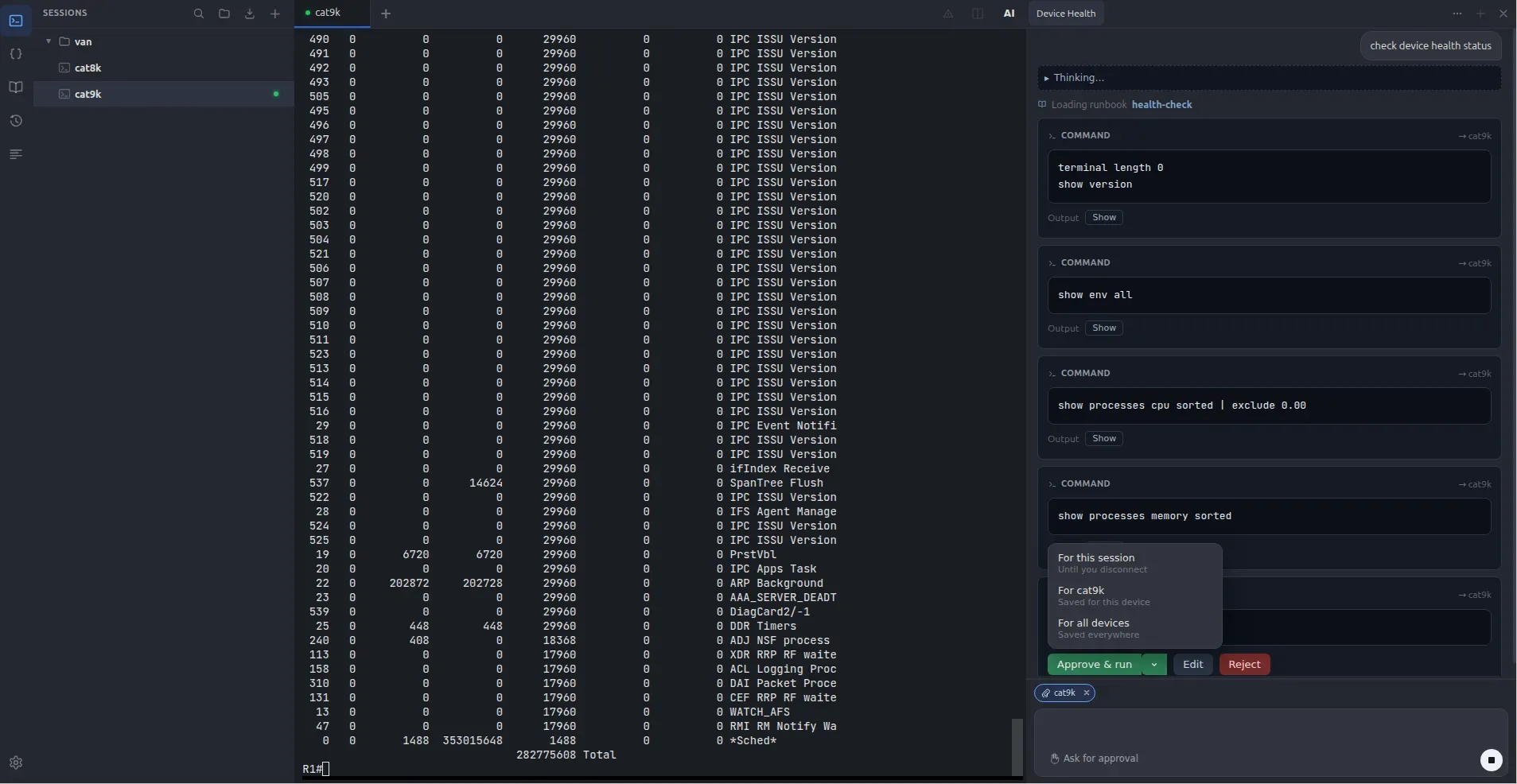
Alabai is an SSH client with an AI copilot that helps you troubleshoot network issues and warns you about potentially destructive commands as you type them.
- Read-only commands, on your approval
- The copilot gathers state, never changes it. By default every command stops at a card showing the exact text and the device it is bound for, until you approve it. Choose Auto-approve show and show commands run without asking, while ping, traceroute and dir still wait for you.
- Command warnings
- Alabai warns you about potentially destructive commands as you type them. Warnings are evaluated locally and work even when the AI copilot is disabled.
- Bring your own LLM
- OpenAI, Anthropic, Azure OpenAI, AWS Bedrock, Ollama, or any OpenAI-compatible endpoint. Point it at a local model and nothing leaves your network.
- Configuration snapshots
- Capture a configuration before and after a change, then diff the snapshots to see exactly what changed.
- Runbooks
- Turn your procedures into reusable runbooks. Write them as plain Markdown files you own, then follow them yourself or let the copilot work through the steps using the same approval-gated, read-only access.
Questions
Can the copilot change my devices?
No. A permit list in the app limits it to read-only commands, and by default each one stops at an approval card showing the exact text and the device it is bound for. When a change is the answer, it writes the configuration out for you to review and paste yourself.
What happens if I type a dangerous command?
The warning fires on the input line, before you press Enter, and matching is abbreviation-tolerant because the CLI is. It is static matching against a rule list on your own machine, with no model involved.
Where does my data go?
Your sessions never leave your machine. Device output, configs and prompts go only to the AI provider you configure, or nowhere at all if you run a local model. No session content is ever sent to us.
Where are my credentials stored?
Encrypted with your platform’s secure storage, the OS keyring.
Which AI providers can I use?
OpenAI, Anthropic, Azure OpenAI, AWS Bedrock, Ollama, or any OpenAI-compatible endpoint, using your own API key. A local model works too, which keeps the whole workflow inside your network.
Which network devices does Alabai support?
Cisco IOS and IOS-XE, NX-OS, and Arista EOS. You set the platform for each device, so the assistant never guesses which commands are safe on it. Telnet and serial console are supported for devices without SSH.
Can I bring my existing sessions across?
Yes. Alabai imports saved sessions from PuTTY and SecureCRT, including the folder tree, hostnames and ports.